
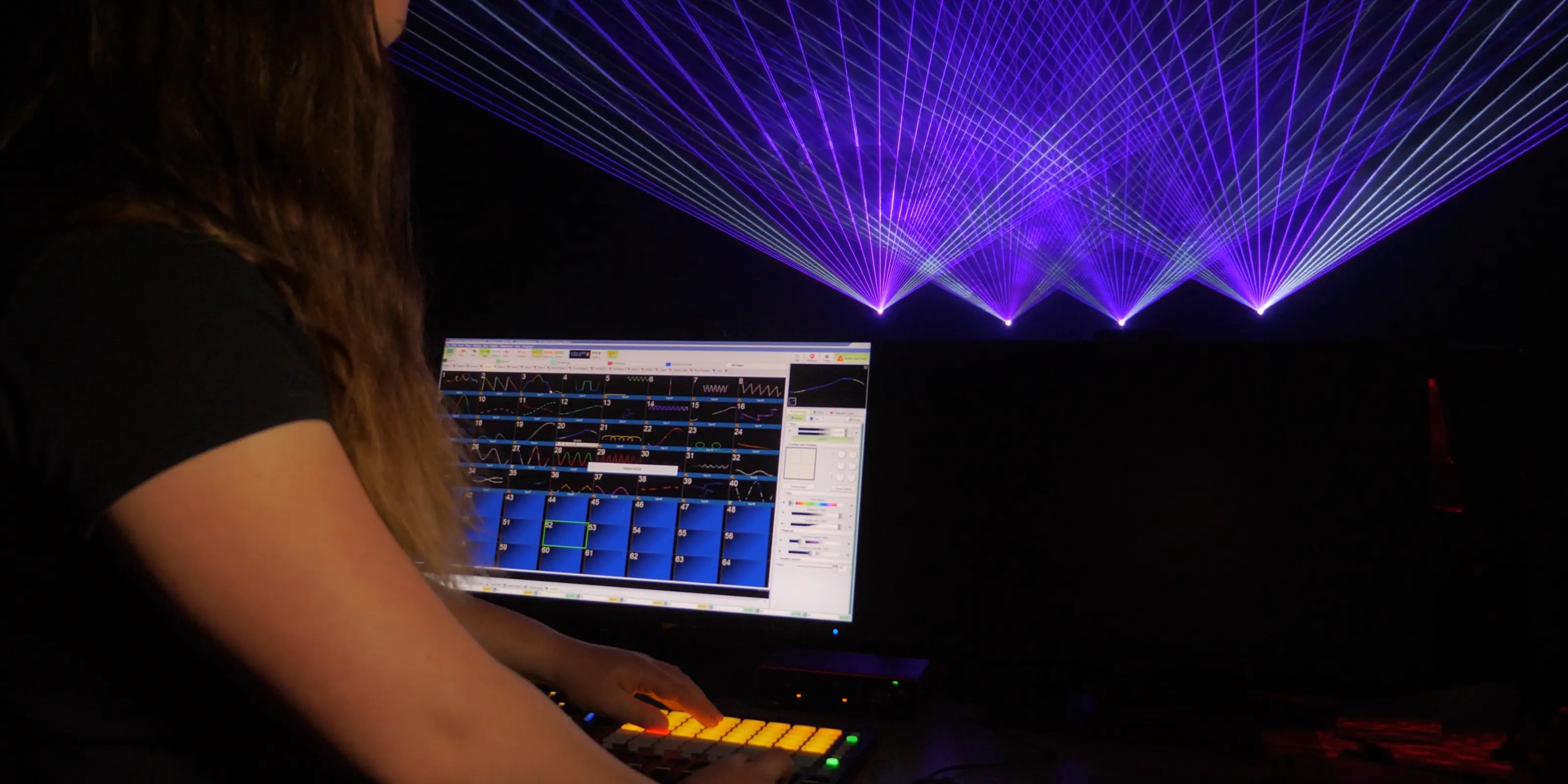

Powerful, Affordable, Easy to use… Create inspiring laser shows and content, with the world’s more intuitive laser show software.
The download should start automatically, but if it doesn't then click the button below.
Download nowPlease refresh the page and try again.

Laser show control, for everyone!
QuickShow is the world’s most widely used laser show control software, letting you create stunning laser content in seconds... No complex programming required. Whether you’re new or experienced, QuickShow brings your artistic style to life in brilliant laser light.
Quick Tools
As your experience grows, you may want to design custom laser content such as beam effects, text, graphics, or branded logos. The software’s suite of intuitive QuickTools makes this process simple, allowing you to create and animate your own laser imagery. It includes eight specialized QuickTools, outlined below.

Quick Text
Easily create laser text in seconds

Quick DMX
Control QuickShow with DMX

Quick Shape
Design beam and abstract effects

Quick Timeline
Create timeline shows with music

Quick Trace
Make laser logos fast

Quick Capture
Combine laser images easily

Quick Targets
Created fun target beam sequences

Quick FX
Stunning laser effects, applied instantly
Looking for even more customization?
As you spend more time with QuickShow, you might feel ready to create your own laser content, whether that’s beam effects, text, graphics, or even custom laser logos. QuickShow includes a set of intuitive tools called QuickTools that make designing this content surprisingly easy. With these tools, you can build your idea right inside the software and see it come alive in laser. There are eight QuickTools available, each serving a different creative purpose.

Frame editor
Our industry-leading drawing tools and frame editor give you the freedom to create or refine virtually any type of laser content you can imagine. You can also animate your designs—bringing them to life in laser light, whether you’re transforming a client’s logo or crafting dynamic, motion-rich visuals.

Effect editor
With the built-in effect generator, you can apply custom effects to any laser content you create—including beam effects, text, graphics, and logos—giving your visuals added depth, motion, and creativity.

Text editor
With the built-in effect generator, you can apply custom effects to any laser content you create—including beam effects, text, graphics, and logos—giving your visuals added depth, motion, and creativity.

Shape editor
If you enjoy creating laser abstracts, you’ll appreciate the software’s powerful abstract generator. It gives you the tools to craft your own custom abstract visuals with ease and precision.

Clock editor
If you enjoy creating laser abstracts, you’ll appreciate the software’s powerful abstract generator. It gives you the tools to craft your own custom abstract visuals with ease and precision.

Parametric image editor
If you enjoy creating laser abstracts, you’ll appreciate the software’s powerful abstract generator. It gives you the tools to craft your own custom abstract visuals with ease and precision.

Pangolin Cloud
The Pangolin Cloud gives you instant access to a wide range of fresh laser content, right at your fingertips. Browse, preview, and download new shows, cues, and effects directly within the software—your own “streaming library” for laser content, built in.
If you enjoy creating your own work, you can also build an artist profile, publish your shows, and share or sell your creations with users around the world.
Get mobile with MoboLaser
MoboLaser is a free mobile application that extends the functionality of QuickShow and BEYOND to a mobile phone.
With it, you can control different functions of the software such as the Cue Grid, Quick Text, Live Controls, Geometric Correction, and more.

A variety of control possibilities

Live Control Engine
Perform live laser shows with confidence and ease using the software’s powerful live control engine. Adjust colors, effects, BPM, size, position, rotation, and more—all in real time and perfectly synchronized to your music.

Timeline Show Builder
Utilize a complete suite of timeline-based programming tools, giving you precise control over every cue. Its simple yet powerful features make it easy to synchronize laser visuals and music with accuracy and creativity.

MUSIC BPM SYNC
The software includes innovative BPM sync tools, ideal for both live performances and pre-programmed laser shows. It also offers a free plugin for VirtualDJ, giving DJs a seamless way to synchronize their music and laser visuals.

DMX and MIDI compatible
The software is fully compatible with both DMX and MIDI, and includes a custom profile for the widely used AKAI APC MINI controller—delivering a true plug-and-play experience right out of the box.

Easily control multiple lasers
With our popular Zones feature, which allows you to easily control multiple laser projectors at once. Running large-scale shows in perfect synchronization becomes remarkably simple with this powerful tool.
Geometric correction tools

We include precise geometric correction tools with QuickShow, allowing you to perfectly dial in your projection areas. You also have control over your X, Y, and Z axes, as well as size, position, rotation, and more. QuickShow also includes a variety of built-in test patterns that help ensure you’re set up for success.
Preview tools

The BEYOND Universe lets you build custom workspaces tailored to your exact show needs.
Want a layout with dedicated sliders for color, brightness, rotation, DMX triggers, and more? No problem. You can design it exactly the way you like, then lock the workspace so a client or operator can use it without changing anything.
The result: a perfectly controlled, purpose-built environment for every show scenario.
Geometric correction tools
We include precise geometric correction tools with QuickShow, allowing you to perfectly dial in your projection areas. You also have control over your X, Y, and Z axes, as well as size, position, rotation, and more. QuickShow also includes a variety of built-in test patterns that help ensure you’re set up for success.
Preview tools
The BEYOND Universe lets you build custom workspaces tailored to your exact show needs.
Want a layout with dedicated sliders for color, brightness, rotation, DMX triggers, and more? No problem. You can design it exactly the way you like, then lock the workspace so a client or operator can use it without changing anything.
The result: a perfectly controlled, purpose-built environment for every show scenario.
Hardware Compatibility
QuickShow software is included for free with all Pangolin laser show control devices. Learn more about our hardware options, below.

FB3QS
The FB3QS uses a classic ILDA connection for control. It's designed to provide you with a simple plug and play solution. Simply connect your FB3QS to PC, then your laser, and you're ready to go!

FB4
This is our most modern laser show control hardware, widely using by lighting professionals around the world. FB4 is a media server that is designed to be imbedded inside of a laser projector, but can be configured for internal or external use.

HD Output & Speed Support
Our FB3QS and FB4 hardware are engineered to elevate the output of your laser projector, delivering cleaner, sharper, high-definition–style laser effects.
Pair that with BEYOND’s support for high-speed, professional-grade scanners, and you get beautifully optimized performance no matter what laser projector you’re running.